Re-exam (underlined text is part of the re-exam)
Typing. According to Wikipedia typing is “the process of writing or inputting text by pressing keys on a typewriter, computer keyboard, cell phone, or calculator.”. How do you present something that is very natural activity into visual feedback? How to include servos within the process of it? Should it be a bracelet? Should it be with an led? Should it do magic tricks? How do we visualise typing?
These questions were part of my thinking process when working on this idea. On the one had we had to imagine and work with it, on the other hand we also thought about the code and what is possible for us to make. How to code it? Should we use visuals on the computer or just the servos? Are we using the json-serial bridge or are we coding everything in arduino? If we use arduino how we detect if they keyboard is being used?
Many questions were technical as much as idea wise. The basic idea was, write a code that will detect if a button is pressed. In our case we started out with vowels only. If they are pressed then make the counter go up and then use that number to set up the speed of the servo. It did not make much sense because even though it had a random factor within it was not as responsive as we wanted it to be.
Meanwhile, while I was trying to figure out the code and make the servo spin, Thanita focused on brainstorming ideas in which we can present the activity. Windmills. They spin, which will be simple and easy way to implement the servo and make it nice and easy for visuals.
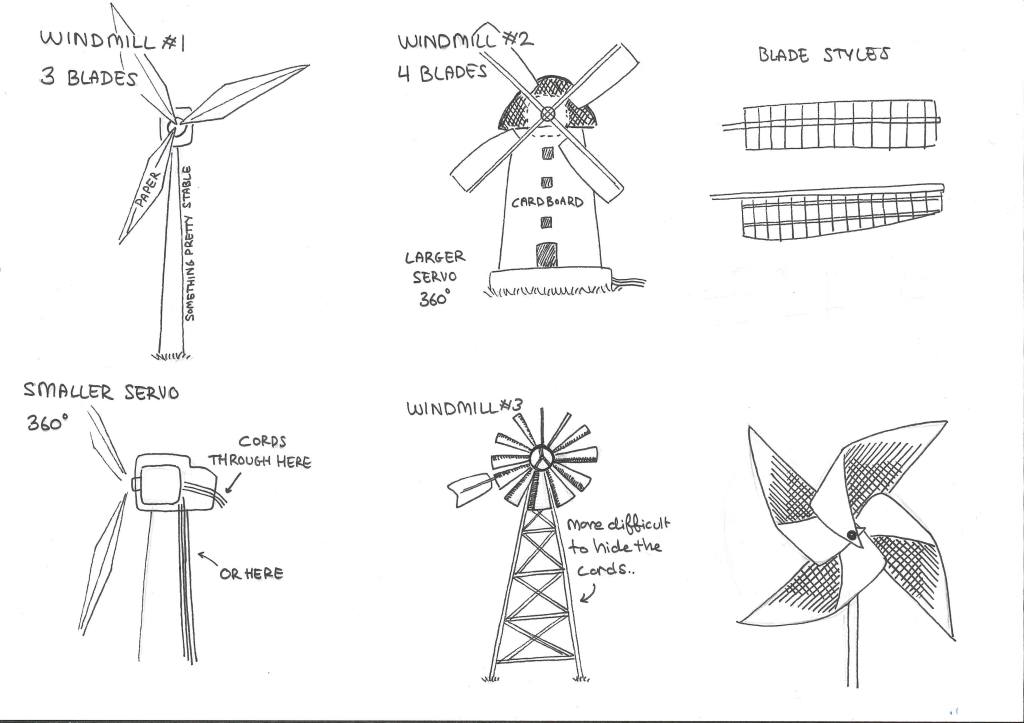
Since we both liked the idea, we started working on our first prototype. It was made out of cardboard, that contained the servo in the middle to represent the motor of the windmill. With that we wrapped up for today.
The next day, I worked on the code while she worked on making more versions of the windmill. Both of them were made out of paper, since it was the most convenient material at this stage of experimenting.
The paper prototypes did turned out to be useful, for visualising our idea, that we had previously sketched out. It felt like we have done progress and it was inspiring to keep working with what we had so far.
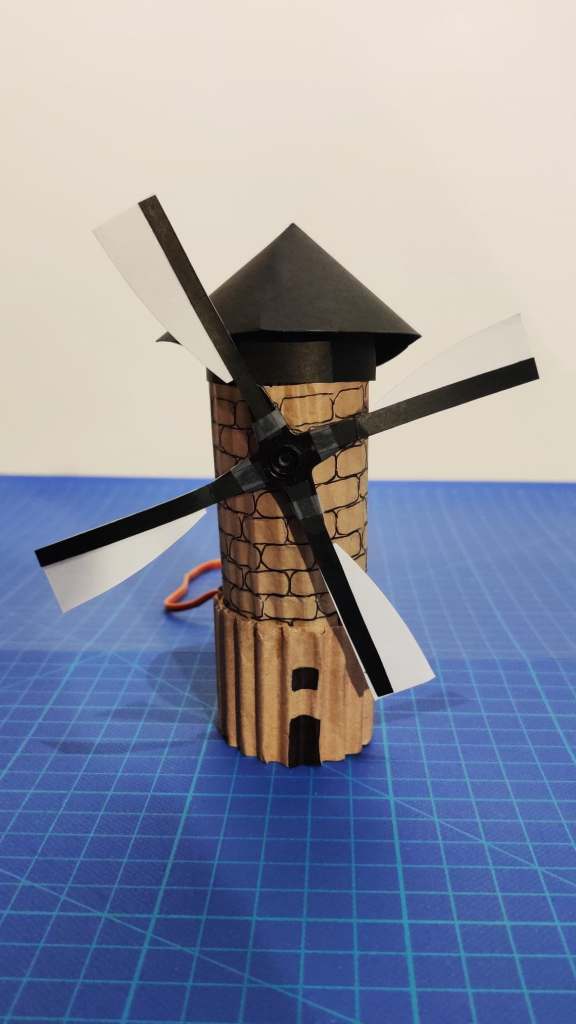
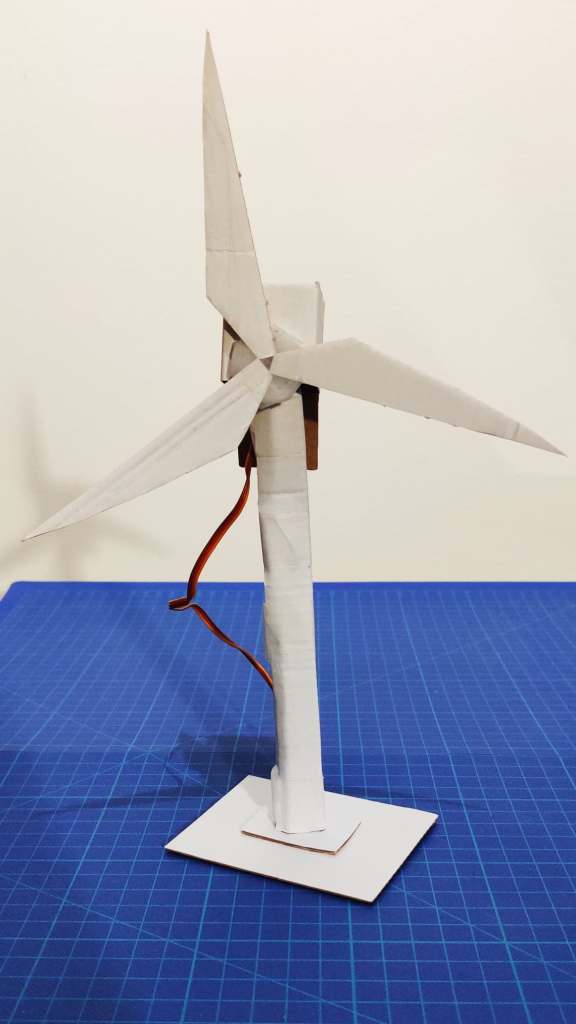
With half working code, and quick prototypes, for the first time in a while I was looking forward to the next coaching session.

 Pink Prototyping